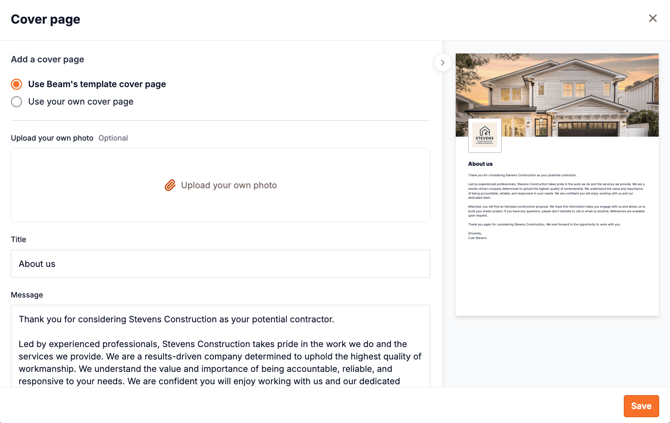
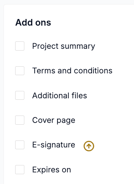
 To change the cover page photo and text, open the estimate form and scroll to the Add ons section at the bottom. Click the checkbox next to Cover page to edit directly.
Here, you can select the image you'd like to use and drag and drop it into the Upload your own photo area. You can also select the Use your own cover page option if you'd like to use your own template. Here you can also change the title and the introductory message on the cover page.