
To set default net payment terms that will apply to all new invoices, navigate to Settings (the gear icon on the right side of the top navigation bar), click on the Business tab and scroll down to the invoice settings portion.
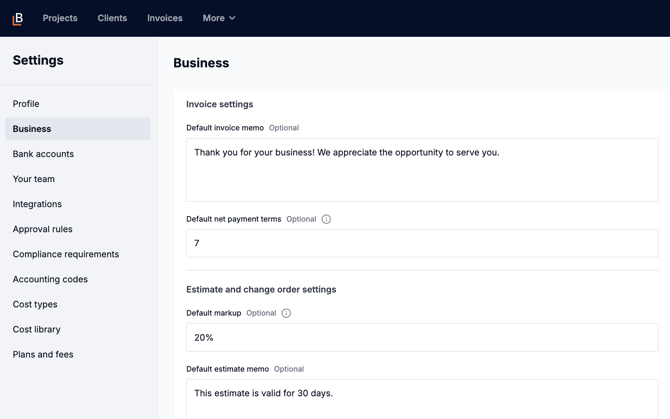
The due date can be overridden on any invoice.