
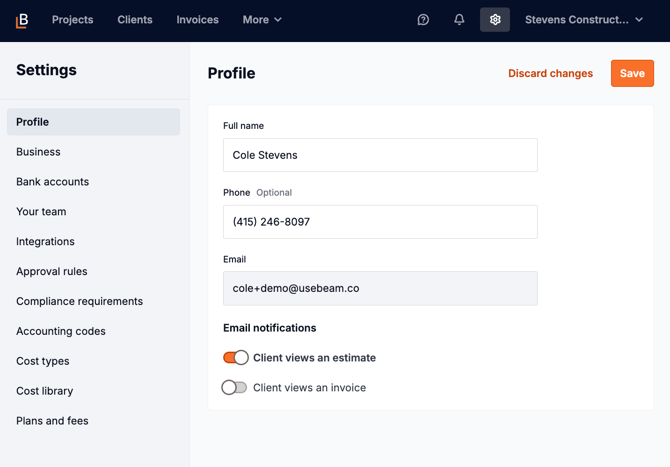
To see if an invoice page has been viewed, go to Settings → Profile and turn on email notifications for invoice views so you’ll receive an email when a customer opens the invoice link.
After making your selection, click the save button at the top right.
Email view notifications rely on tracking technology and may not always be accurate due to privacy protections and email client limitations.