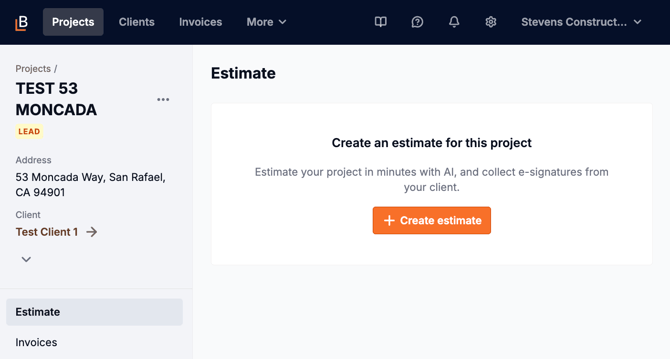
To start estimating, you'll first need to create a project, enter in some basic project information, and then click Add and estimate.
Step by step process
-
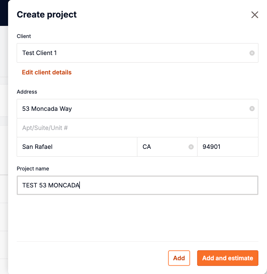 Click
Click Projectsat the left side of the top navigation bar. -
Click the
Add Projectbutton in the top right. -
Enter basic project details:
-
Client (you can add a new client or select a test client)
-
Project address (the project name defaults to the address but can be edited)
-
-
Click the
Add and estimatebutton.
If you accidentally click the Add button instead or need to come back to start the estimate later, follow these steps:
- Open the project record.
- Navigate to the Estimates tab on the left
- Click the
Create estimatebutton