Create your Prime Contract
Navigate to the Prime Contract tab in your project, and click on the edit button. Change the Contract type to "Time and materials."
All of the line items or milestones from your Prime contract will disappear at that time, but that is expected.
Save your Prime Contract
Once you have made the contract type change, save it and you’re now ready to create invoices against it.
Create a time and materials invoice (Core and Plus tier)
From the Project, click on the Invoices tab, create a new cost-plus Invoice.
When creating the invoice, you can manually input any costs along with markup to be billed to the Client. Beam automatically calculates totals based on what you select.
If you would like to display the information on the invoice, use the Format toggles at the top right to dial it in.
Create a time and materials invoice (Scale tier)
With a Scale subscription, you are able to easily pull in Bills and Expenses that have already been captured on the project and easily include them in the invoice. Be sure to have them entered prior to creating the invoice, so they are available to select
Note: once a bill is invoiced to a Client, you are no longer able to edit the existing bill.
What are the benefits of invoicing via Beam?
- Beam allows you to send professional invoices to your clients and collect payment in a secure and accelerated fashion.
- Customers can pay via credit card (you can pass along the processing fee) or ACH.
- Once you’ve sent an invoice, you can track email views and page opens, follow up with reminders, and be automatically notified when payment starts and is deposited into your account.
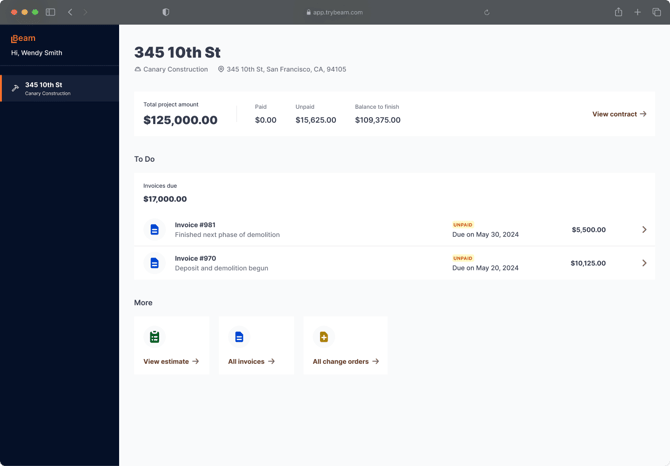
- On the client side, they’ll be able to see a portal (see below) with project financials and change orders without signing up or logging in.