Create your Prime Contract
If you used a Payment schedule when sending an estimate and that estimate is approved, a Milestone contract type will automatically be set for your Prime Contract.
If you didn't add a Payment schedule to your estimate, you can still manually set up a Milestone Prime Contract. Navigate to the Prime Contract tab in your project, change the Contract type and enter your milestones along with the amount.
Keep in mind, a Milestone contract will only allow you to bill the full amount of each milestone. If you need flexibility, it is best to set up the milestones and then change the contract type to "Fixed price - Progress".
If you hid pricing for groups, sub-groups, or specific line items in your estimate, those amounts will not populate into the Prime Contract or invoices. This is intentional — Beam assumes that if pricing was hidden, it’s not something you want to share on invoices.
Save your Prime Contract
If you made any changes to the contract setup, save it once you are satisfied. You’re now ready to create invoices against it.
Create a milestone invoice
From the Project, click on the Invoices tab, create a new Progress Invoice.
When creating a milestone invoice, you can set a due date and payment terms. For each line item, you can bill using any of the defined milestones. Beam automatically calculates totals based on what you select.
What are the benefits of invoicing via Beam?
- Beam allows you to send professional invoices to your clients and collect payment in a secure and accelerated fashion.
- Customers can pay via credit card (you can pass along the processing fee) or ACH.
- Once you’ve sent an invoice, you can track email views and page opens, follow up with reminders, and be automatically notified when payment starts and is deposited into your account.
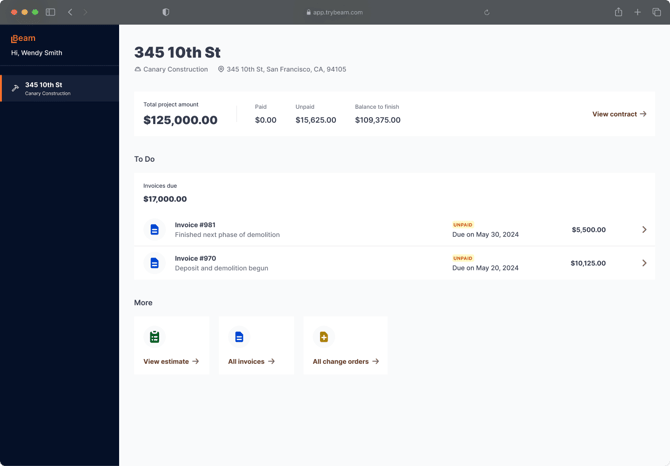
- On the client side, they’ll be able to see a portal (see below) with project financials and change orders without signing up or logging in.